Nothing ruins a promising AI-generated video faster than a giant logo stamped across the middle of it. Thankfully, several genuinely capable tools now let you export clean, watermark-free clips without paying a subscription upfront. Here are the best free AI video generators with no watermark worth trying in 2026, along with exactly how to get started with each one.
Video content drives far more engagement than plain images or text across every platform, from Instagram Reels to YouTube Shorts. But hiring editors or learning complex software takes time most creators don’t have. These tools use text prompts, images, or short scripts to generate usable footage in minutes, letting anyone produce scroll-stopping content without a production budget.
[rank_math_toc]
How We Picked These Tools
We tested each generator specifically for free-tier watermark policies, export resolution, generation speed, and realistic output quality. Tools that technically offer a “free trial” but quietly slap a logo on every export were excluded. Every pick below genuinely lets you download at least a handful of clips per month completely watermark-free.
1. Runway Gen Free Tier
Runway’s free tier includes limited monthly credits for text-to-video and image-to-video generation, with no forced watermark on standard exports. It’s especially strong for stylised, cinematic clips and offers straightforward prompt controls. Sign up on runwayml.com, select “Generate Video,” describe your scene, and download once rendering completes.
2. Pika Labs
Pika Labs offers a generous free daily credit allowance and exports videos without watermarks on its basic plan. It handles motion, camera pans, and simple animations well, making it a favourite for short social clips. Access it through their web app or Discord bot, type your prompt, and generate multiple variations to pick your favourite.
3. CapCut AI Video Tools
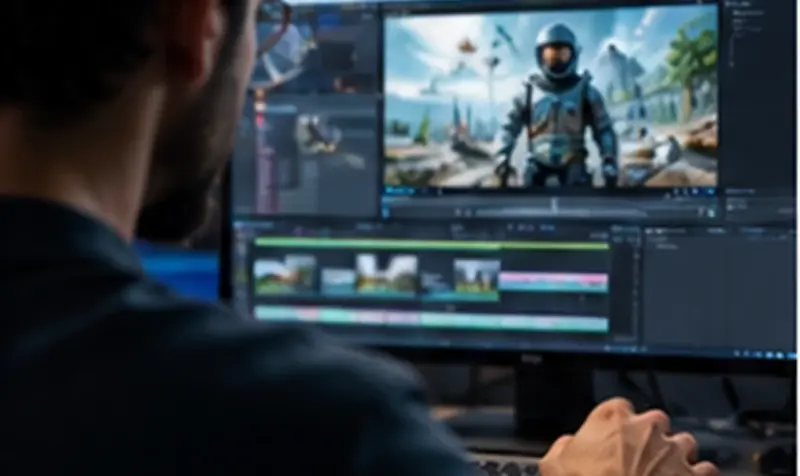
CapCut’s built-in AI video generator, part of its free mobile and desktop editor, produces watermark-free clips when exported through the standard workflow. Its strength is combining AI generation with genuinely powerful manual editing, transitions, and music syncing, making it ideal for creators who want an all-in-one free toolkit rather than separate apps.
4. Kling AI Free Plan
Kling AI’s free tier delivers impressively realistic motion and physics in generated clips, with clean, unmarked exports up to a certain monthly quota. It particularly excels at human movement and facial expressions, making it a strong pick for anyone generating people-focused content rather than pure landscape or abstract visuals.
5. Haiper AI
Haiper offers a straightforward free plan with no watermark on standard-quality exports, plus a simple interface that’s friendly for absolute beginners. Generation speed is quick, usually under a minute per clip, which makes it a solid choice when you need several quick iterations without waiting around.
6. Canva AI Video Generator
Canva’s Magic Media video tool is bundled free with every Canva account, exporting without watermarks on standard resolution. Since it lives inside Canva, you can generate a clip and immediately drop it into a full design, add captions, and resize for different platforms, all without leaving one dashboard.
Tips to Get Better Results for Free
Write specific, visual prompts rather than vague ones; mention lighting, camera angle, and mood explicitly. Generate a few variations rather than accepting the first result. Most free tiers reset monthly credits, so plan bulk content creation around your billing cycle to squeeze out the maximum number of free clips.
What to Do When You Run Out of Free Credits
Once your monthly allowance runs dry on one platform, simply switch to another free tool rather than waiting for a reset. Spreading your workload across two or three generators listed here effectively multiplies your total free monthly output, letting consistent creators publish far more content than sticking with a single subscription would allow.
Also consider batching your prompts in advance, writing out five or six scene descriptions before opening the app, so you spend your limited free generations efficiently rather than experimenting credit by credit. This planning step alone noticeably improves the ratio of usable clips to wasted attempts on any free-tier plan.
Frequently Asked Questions
Are these free AI video generators really watermark-free permanently?
Yes, on standard exports for the tools listed above, though premium resolutions or extended clip lengths may require a paid upgrade depending on each platform’s current policy.
Which free AI video generator is best for beginners?
Haiper and CapCut are the easiest to start with, thanks to simple interfaces and quick generation times requiring minimal prompt-writing skill.
Can I use these videos commercially?
Most platforms allow commercial use on free plans, but always check each tool’s current terms of service before using generated clips in paid campaigns or client work.
Do free plans limit video length or resolution?
Yes, free tiers typically cap clips at a few seconds and standard resolution, with longer or 4K exports usually reserved for paid subscriptions.
Final Thoughts
You genuinely don’t need a paid subscription to start creating professional-looking AI video content in 2026. Pick two or three tools from this list, test your workflow, and settle on whichever fits your style best. For more AI tool guides, see our articles on AI voice cloning with Kits.ai and best free image-to-video AI generators.