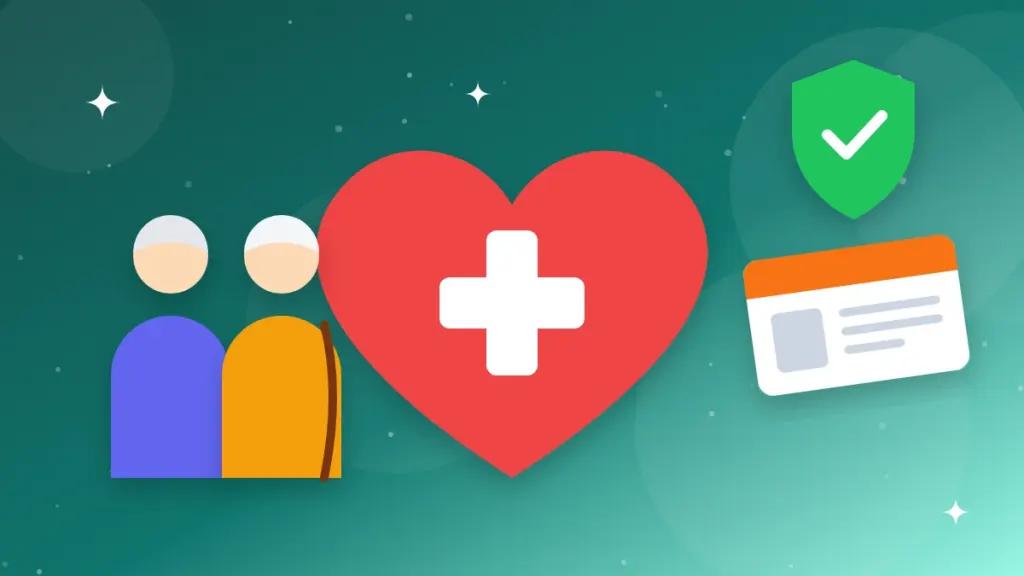
Every Indian aged 70 or above can now get free hospital treatment worth up to ₹5 lakh a year, with no income limit. The Ayushman Vay Vandana card makes this possible under Ayushman Bharat PM-JAY, and you can apply for it from your phone in about 10 minutes using only an Aadhaar card.
Whether you want to register your parents or grandparents, this guide explains who is eligible, the benefits, how to apply online, how to download the Ayushman Vay Vandana card, and how to find hospitals where you can use it.
What Is the Ayushman Vay Vandana Card?
The Ayushman Vay Vandana card is a special health card for senior citizens aged 70 years and above, launched on October 29, 2024, as part of the expansion of Ayushman Bharat Pradhan Mantri Jan Arogya Yojana (AB PM-JAY). It provides cashless treatment at government and empanelled private hospitals across India.
Unlike the regular Ayushman card, which depends on income and family data, the Ayushman Vay Vandana card is available to every senior citizen aged 70 or above, whether rich or poor.
Key Benefits at a Glance
| Benefit | Details |
|---|---|
| Health cover | Up to ₹5 lakh per family per year for 70+ members |
| Treatment type | Cashless and paperless at empanelled hospitals |
| Income limit | None |
| Upper age limit | None |
| Pre-existing diseases | Covered from day one |
| Medical test to enrol | Not required |
| Coverage area | All over India (portable) |
| Hospital stay | Covers pre-hospitalisation and post-hospitalisation expenses as per package rules |
| Helpline | 14555 |
Extra Top-Up for Existing PM-JAY Families
If your family is already covered under Ayushman Bharat PM-JAY, senior members aged 70+ get an additional top-up of up to ₹5 lakh a year just for themselves. This amount is not shared with younger family members.
Who Is Eligible?
- Indian citizens aged 70 years or above, based on the date of birth in Aadhaar.
- No income or financial criteria.
- Aadhaar card is mandatory for eKYC.
- If both husband and wife are 70+, they share the ₹5 lakh family cover for senior members.
Tip: If your parent’s date of birth in Aadhaar shows only the year, or is wrong, get it corrected first. Our guide on the new Aadhaar app explains which updates you can do from your phone.
CGHS, ECHS and Private Insurance Rules
| Existing Coverage | Can Get Vay Vandana Card? |
|---|---|
| CGHS, ECHS or CAPF (Ayushman CAPF) | Yes, but you must choose either the old scheme or PM-JAY, not both |
| Private health insurance | Yes, you can keep both |
| ESIC | Yes, you can keep both |
| Existing PM-JAY family | Yes, with an extra top-up for 70+ members |
How to Apply Using the Ayushman App
- Download the official Ayushman App by the National Health Authority from the Google Play Store or App Store.
- Log in as a Beneficiary using your mobile number and OTP.
- Select the 70+ enrolment option shown on the home screen.
- Enter the senior citizen’s Aadhaar number and complete eKYC through Aadhaar OTP or face authentication.
- Take a live photo when asked and fill in details such as mobile number, category and pin code.
- Add family members aged 70+ if any, then submit.
- Once approved, the Ayushman Vay Vandana card will be ready to download in the app.
How to Apply on the NHA Beneficiary Portal
- Visit beneficiary.nha.gov.in.
- Log in as a beneficiary using your mobile number, captcha and OTP.
- Choose the scheme as PM-JAY and select the 70+ enrolment option.
- Enter Aadhaar details and complete eKYC.
- Fill in the required details, upload a photo, and submit.
Offline Option
If your parents are not comfortable with apps, take them to the nearest Common Service Centre (CSC) or an empanelled hospital’s Ayushman desk (Arogya Mitra) with their Aadhaar card. Staff will complete the enrolment for them.
How to Download the Ayushman Vay Vandana Card
- Open the Ayushman App or the beneficiary portal and log in.
- Search using the senior citizen’s Aadhaar number.
- If the card status shows Approved, tap Download.
- Save the PDF on your phone and take a printout to carry during hospital visits.
If the status shows “Pending”, wait a few days for verification. If it is “Rejected”, check the reason and re-apply with corrected details.
How to Find Empanelled Hospitals
- Visit the official hospital finder on the PM-JAY website or open the Ayushman App.
- Select your state, district and hospital type (government or private).
- Choose the speciality you need, such as cardiology or orthopaedics.
- Note the hospital’s Ayushman desk contact before visiting.
At the hospital, show the Ayushman Vay Vandana card and Aadhaar at the PM-JAY help desk. The Arogya Mitra will verify identity and start cashless treatment.
What Treatments Are Covered?
The Ayushman Vay Vandana card covers more than 1,900 medical procedures listed under PM-JAY health benefit packages, including many conditions common in older age:
- Heart surgeries, angioplasty and stenting.
- Knee and hip replacement.
- Cataract surgery.
- Cancer treatment, including chemotherapy and radiotherapy.
- Kidney dialysis.
- Stroke and neurological care.
- Diagnostics, medicines and room charges during hospitalisation.
Routine outpatient (OPD) consultations and medicines bought without hospital admission are generally not covered. Always confirm with the hospital’s Ayushman desk before treatment.
Common Reasons for Rejection and How to Fix Them
| Reason | Fix |
|---|---|
| Age below 70 as per Aadhaar | Correct the date of birth in Aadhaar with valid proof, then reapply |
| Already enrolled in CGHS/ECHS | Choose one scheme and give up the other if you prefer PM-JAY |
| eKYC failed | Try face authentication or visit a CSC for biometric eKYC |
| Photo not clear | Retake the live photo in good light |
| Mobile number not linked | Use any family member’s mobile number for OTP during enrolment |
Tips for Families Applying for Elderly Parents
- Apply on behalf of your parents using your own phone; the app allows enrolment of others with their Aadhaar eKYC.
- Save the card PDF on your phone and your parents’ phone, and keep a printed copy in their medicine box.
- Note the nearest empanelled hospital and its Ayushman desk phone number in advance.
- If parents live in another state, check empanelled hospitals in that city too, since the card is portable.
Frequently Asked Questions
Is the Ayushman Vay Vandana card free?
Yes. Applying for and downloading the Ayushman Vay Vandana card is free. CSCs may charge a small service fee.
Is there any income limit for the 70+ Ayushman card?
No. All senior citizens aged 70 and above are eligible regardless of income.
Can husband and wife both get the card?
Yes, both get their own card if they are 70+, but they share the ₹5 lakh annual family cover meant for senior members.
Can I use the card in any state?
Yes. The card is portable and works at empanelled hospitals across India.
What if my parent turns 70 later?
They can apply once the date of birth in Aadhaar shows they are 70 years old.
Which helpline should I call for help?
Call the national PM-JAY helpline 14555 for enrolment and hospital-related support.
Final Thoughts
The Ayushman Vay Vandana card is one of the most useful benefits for senior citizens in India, offering ₹5 lakh of cashless treatment with no income check. Enrol your parents or grandparents today and keep a printed copy ready for emergencies. For more welfare schemes, read our guide on applying for a new ration card online.