Your Aadhaar card is one of the most requested identity documents in India, and you do not always have the physical copy on hand when a bank, school, or government office asks for it. This guide shows exactly how to download Aadhaar card online in a few minutes, using only official UIDAI channels such as the myAadhaar portal and DigiLocker, without needing to visit an Aadhaar Seva Kendra in person.
Why You Might Need to Download Aadhaar Card Online
People commonly need a fresh copy of Aadhaar for bank KYC updates, opening a new mobile SIM, linking PAN, applying for a passport, registering for competitive exams, or simply because the original card is misplaced. Since UIDAI treats the downloaded e-Aadhaar as fully valid, there is rarely a need to order a fresh physical card just to prove your identity, and the whole process can usually be finished from a phone or laptop in under ten minutes.
What You Need Before You Download Aadhaar Card Online
Keep your 12-digit Aadhaar number or 28-digit Enrolment ID handy, along with the mobile number linked to your Aadhaar. UIDAI verifies your identity with a one-time password (OTP) sent to this number, so if your number has changed since enrolment, you will need to update it at an Aadhaar centre first. Without a linked mobile number, the online download option will not work, and you would need to visit a centre in person instead.
How to Download Aadhaar Card Online via the myAadhaar Portal
The official myAadhaar portal is the fastest and most reliable way to get your e-Aadhaar. Follow these steps:
- Go to the official myAadhaar portal at myaadhaar.uidai.gov.in.
- Click “Login” and enter your Aadhaar number or Virtual ID along with the captcha code shown.
- Enter the OTP sent to your registered mobile number to verify your identity.
- Once logged in, select “Download Aadhaar” from the services menu.
- Choose whether to download using your Aadhaar number, Enrolment ID, or Virtual ID (VID).
- Select “Masked Aadhaar” if you only want the last 4 digits visible, or leave it unmasked.
- Click “Verify & Download” to save the password-protected PDF to your device.
How to Open Your Downloaded e-Aadhaar PDF
The file you download is password protected for your security. Enter the password using the first four letters of your name in capital letters, followed by your year of birth — for example, RAHU1998 for someone named Rahul born in 1998. This same password format applies whether you download Aadhaar card online through the portal, via DigiLocker, or by SMS request.
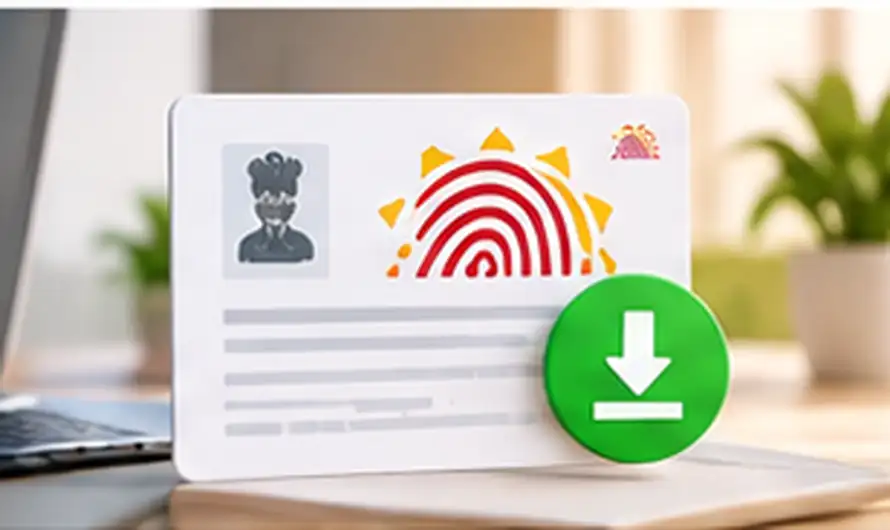
How to Download Aadhaar via DigiLocker
DigiLocker is another official government option that keeps a saved copy of your Aadhaar available for offline access, which is useful if you need it again without repeating the OTP process every time. If you already use DigiLocker for other paperwork, you can also read our guide on how to fetch DigiLocker documents like your RC or driving licence over WhatsApp for a similar quick option.
- Download the DigiLocker app, or visit digilocker.gov.in on your browser.
- Sign in using your mobile number and the OTP sent to it.
- Check “Issued Documents” — Aadhaar usually appears automatically if UIDAI has already linked it.
- If it does not appear, search for “Aadhaar Card” under “Search Documents” and pull it directly from UIDAI.
- Tap the Aadhaar entry and download it as a PDF.
Common Problems When You Try to Download Aadhaar Card Online
- OTP not received: Confirm your mobile number is linked to Aadhaar. If it is not, or if you switched numbers, visit an Aadhaar Seva Kendra to update it before trying again.
- “Aadhaar not found” error: Double-check the Aadhaar number or Enrolment ID for typos, including the exact date and time printed on your enrolment slip.
- PDF will not open: Make sure you are entering the password in the correct format — capital letters only, name first, then birth year, with no spaces.
- Portal not loading or timing out: The myAadhaar portal sees heavy traffic at peak hours. Try again early morning or late evening if the page is slow to respond.
- Account temporarily locked: Entering the wrong OTP too many times can lock the download attempt for a short period. Wait around 15 to 30 minutes before trying again rather than repeating it immediately.
Once your Aadhaar is downloaded, the same UIDAI-backed approach applies to other digital documents. If you live in Kerala, you may also find it useful to see how to apply for an income certificate online in Kerala, or browse our wider overview of Digital India government services for more ways to manage official documents online.
Frequently Asked Questions
Is the e-Aadhaar PDF as valid as the physical card?
Yes. UIDAI treats a downloaded e-Aadhaar as equally valid as the original for identity verification. It carries the same demographic details and a digital signature that confirms it came directly from UIDAI, so most banks and offices accept it without hesitation.
Can I download Aadhaar card online without a registered mobile number?
Not directly. UIDAI requires OTP verification through your registered number. Without it, you will need to update your mobile number at an Aadhaar Seva Kendra first before the online download option becomes available to you.
Is there a fee to download Aadhaar card online?
No, downloading your e-Aadhaar through the myAadhaar portal or DigiLocker is completely free. Only ordering a physical PVC Aadhaar card by post involves a small fee charged by UIDAI.
What is the difference between masked and unmasked Aadhaar?
A masked Aadhaar shows only the last 4 digits of your Aadhaar number and is accepted for most identity checks. An unmasked Aadhaar shows the full number and is used only where the complete number is specifically required, such as certain banking or investment processes.