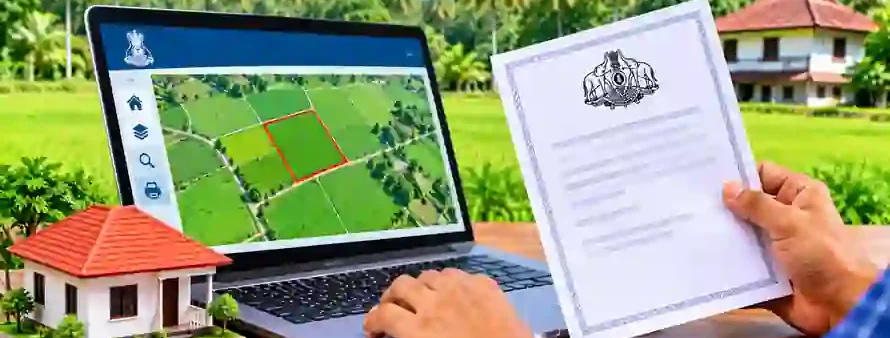
Do you want to check your land records, find your Thandaper number or obtain a copy of your land-related documents in Kerala? The Kerala Revenue Department provides online services that help landowners access important revenue records and complete several land-related transactions without making unnecessary visits to government offices.
Through the official Revenue e-Services portal, citizens can access services such as Online Thandaper Pakarppu (Thandaper Copy), land tax payment, location maps, FMB copies and other revenue-related facilities.
In this guide, you will learn how to access Kerala land records online, obtain a Thandaper copy, check the information you need and use the available revenue services.
What Is a Thandaper Number in Kerala?
A Thandaper is a revenue account maintained by the Kerala Revenue Department for recording landholdings associated with a landholder.
The Thandaper number helps identify a revenue account linked to particular land records. It is commonly used for land tax payments and other revenue-related services.
Depending on the available records, the information may include:
- Name of the recorded landholder
- Thandaper account number
- District, Taluk and Village
- Survey and subdivision numbers
- Land extent
- Land tax details
- Other relevant revenue information
Important: A Thandaper entry is a revenue record. It should not be treated as a substitute for a registered sale deed or a complete legal title verification. If you are buying property, verify ownership and other legal documents separately.
How to Access Kerala Land Records Online
The Kerala Revenue Department provides digital land-related services through its official Revenue e-Services and ReLIS systems.
Follow these steps:
Step 1: Visit the Kerala Revenue Portal
Open the official website:
Check that you are using the government website before entering personal or property details.
Step 2: Open Revenue e-Services
Find the Revenue e-Services or ReLIS section.
The portal provides access to different land-related services, including online applications and tax payments.
Step 3: Choose the Required Service
Select the service according to your requirement.
Some of the services listed by the Revenue Department include:
- Online Thandaper Pakarppu (Thandaper Copy)
- Online Land Tax Payment
- Location Map
- FMB Copy
- Online Pokkuvaravu Application
- Add Missing Land
- Online Tharamattam
The availability of a particular service may depend on the land records and the application requirements.
Step 4: Enter Your Land Details
Provide the details requested by the portal.
Keep the following information ready:
- District
- Taluk
- Revenue Village
- Thandaper Number, if available
- Survey Number
- Subdivision Number, if applicable
- Previous land tax receipt, if requested
Check the details carefully before proceeding.
Step 5: Submit Your Request
Follow the instructions displayed on the portal. For services requiring an application, enter the requested information and upload supporting documents where applicable.
Complete any applicable payment shown by the system.
Save the application reference number or acknowledgement for future use.
How to Get a Thandaper Copy Online in Kerala
If you need a copy of your Thandaper account, the Revenue Department lists an Online Thandaper Pakarppu service.
Here is how to start:
- Visit https://revenue.kerala.gov.in/.
- Open the Revenue e-Services or ReLIS section.
- Select Online Thandaper Pakarppu, if available.
- Enter the land details requested by the portal.
- Complete the application and any applicable payment.
- Save the acknowledgement and follow the document-delivery instructions.
The Revenue Department also explains that citizens using the mobile number registered in ReLIS can receive service-related OTPs, application updates and approved documents through the Sandes app after registering with the same number.
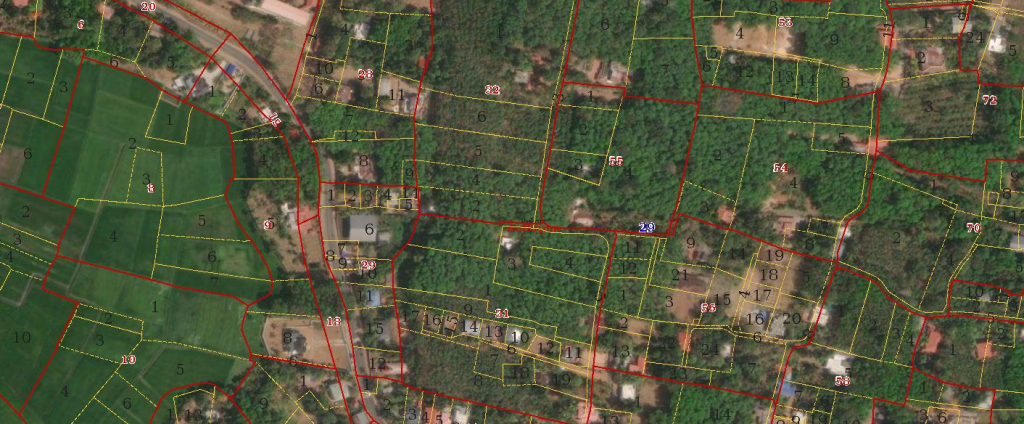
If you cannot find your land details or the online service is unavailable for your property, contact the concerned Village Office for assistance.
How to Pay Land Tax Online in Kerala
The Revenue Department also provides an online land tax payment facility.
Before starting, keep these details ready:
- District and Taluk
- Village name
- Thandaper number
- Survey and subdivision details
- Previous tax receipt information, if requested
After opening the applicable land tax service, follow the portal instructions, verify the displayed land details and complete the payment.
Download or save the payment receipt after successful payment. It may be useful for future revenue applications and personal records.
Difference Between Thandaper, BTR and FMB
These documents serve different purposes in Kerala’s land record system.
Thandaper Copy: Contains details associated with a landholder’s revenue account.
Basic Tax Register (BTR): Contains basic land and tax classification information maintained by the Revenue Department.
Field Measurement Book (FMB): Contains survey measurements and sketches relating to land parcels.
Location Map: Helps identify the location of a land parcel.
You may need different records depending on whether you are checking revenue details, verifying survey boundaries or preparing for a property transaction.
What to Do If Your Land Details Are Incorrect?
If the information displayed online does not match your sale deed, previous tax receipt or other documents, contact the concerned Village Office.
Depending on the issue, you may be asked to provide:
- Registered sale deed
- Previous land tax receipt
- Survey and subdivision details
- Relevant identity documents
- Other supporting land records
The Revenue Department provides services such as Add Missing Land and Online Pokkuvaravu for applicable cases. Do not select a correction or transfer service without first confirming which procedure applies to your situation.
Frequently Asked Questions
1. Can I check Kerala land records online?
Yes. The Kerala Revenue Department provides online land-related services through its official Revenue e-Services portal.
2. What is the official website for Thandaper services?
You can access the services through https://revenue.kerala.gov.in/.
3. Can I obtain a Thandaper copy online?
The portal lists an Online Thandaper Pakarppu service. Follow the current application and document-delivery instructions.
4. Is a Thandaper number the same as a Survey Number?
No. A Thandaper number identifies a revenue account, while a Survey Number identifies a land parcel in survey records.
5. Can I pay land tax online?
Yes. Online land tax payment is available through the Kerala Revenue Department’s e-Services system for eligible records.
6. Does a Thandaper copy prove legal ownership?
A Thandaper copy is a revenue record, not a substitute for a registered title deed or complete legal verification.
7. What should I do if my land is missing from the online records?
Contact your Village Office and ask whether the Add Missing Land service is applicable to your property.
Conclusion
Kerala’s digital revenue services make it easier for landowners to access important land-related information and complete several revenue transactions online.
Whether you need a Thandaper copy, land tax receipt, BTR details or an FMB document, start with the official Kerala Revenue portal and select the appropriate service.
Keep your survey details and previous land documents ready before applying. For property purchases or legal matters, always verify the registered ownership documents separately.
Visit the official portal: https://revenue.kerala.gov.in/
This article is for general information. Service availability, application requirements and applicable fees are subject to the latest Kerala Revenue Department instructions.