Checking vehicle information, pending traffic fines and insurance expiry dates can be time-consuming when using different websites and services. The CarInfo app brings several vehicle-related services together in one mobile application.
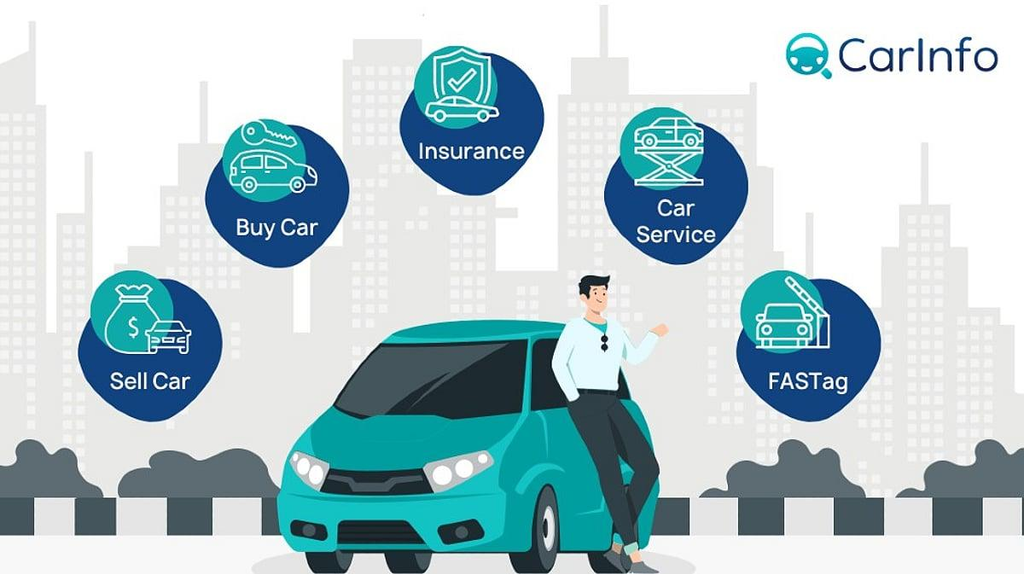
Available for Android and iPhone, CarInfo allows users to check vehicle registration information, view pending e-challans, manage FASTag recharges, track insurance details and explore other vehicle services.
In this guide, we explain the most useful CarInfo app features, how to download it, how to check vehicle details and what you should know before using it.
What Is the CarInfo App?
CarInfo is a vehicle information and management application designed for Indian car and bike owners.
Instead of visiting multiple platforms, users can access several vehicle-related services through one app. These include checking registration information, pending traffic challans, insurance details, FASTag recharge options and vehicle-related reminders.
According to its app-store disclaimer, CarInfo is not associated with any RTO authority in India. It acts as an intermediary platform and provides access to publicly available vehicle information through government systems such as Parivahan and mParivahan.
7 Useful Features of the CarInfo App
1. Check Vehicle Registration Details
One of the most useful features is the vehicle information checker.
Enter your vehicle registration number to view available details, which may include:
- Vehicle registration information
- Registration date
- Vehicle class
- Fuel type
- Registration authority
- Insurance-related information
The information displayed depends on the data available from the connected sources. Certain personal details may be restricted for privacy reasons.
2. Check Pending Traffic Challans
CarInfo allows users to check pending traffic fines associated with a vehicle.
This feature can help car and bike owners identify unpaid e-challans without manually searching through different websites.
Users can enter their vehicle registration number and check the available challan information.
Before making a payment, verify the challan through the official Government of India e-Challan portal:
https://echallan.parivahan.nic.in
3. FASTag Recharge and Management
FASTag is used for electronic toll collection at applicable toll plazas across India.
CarInfo provides FASTag-related services, including recharge options for supported banks.
Depending on availability, users can:
- Access FASTag recharge services
- Select supported issuing banks
- Recharge the linked FASTag account
- Manage vehicle-related FASTag information
Always verify the vehicle number and issuing bank before completing a payment. You can also recharge through your FASTag issuer bank or supported official payment channels.
4. Check Car and Bike Insurance Expiry
Driving without valid motor insurance can lead to legal and financial problems.
CarInfo provides insurance-related information and allows users to check available policy details and expiry dates.
The app also offers insurance renewal services through its partners.
Users can set reminders to help avoid missing renewal dates.
Always confirm the policy details with the insurance company before making a renewal payment.
5. Pollution Certificate (PUC) Expiry Reminders
A valid Pollution Under Control (PUC) certificate is an important requirement for vehicles in India.
CarInfo provides pollution certificate expiry information and reminder features.
This can help vehicle owners remember when they need to renew their PUC certificate.
Check the certificate details and validity through the authorised pollution testing centre or applicable government service.
6. Vehicle Service History
CarInfo also advertises a vehicle service-history checking feature.
Depending on the vehicle and available data, users may be able to explore information such as:
- Available service records
- Odometer readings
- Accident-related information
- Parts replacement records
However, do not assume that every vehicle has a complete service history available. Check the records with authorised service centres and inspect the vehicle independently before purchasing a used car.
7. Personal Garage and Vehicle Management
The personal garage feature helps users manage multiple vehicles in one place.
You can use the app to organise vehicle information and access available services for your cars or bikes.
Other advertised services include:
- Used-car buying and selling
- New-car information
- Vehicle resale value checks
- RTO information
- Car accessories
- Insurance and financing services through partners
Availability may depend on location, partner services and the app version.
How to Download the CarInfo App
CarInfo is available for Android and iOS devices.
Download on Android
- Open Google Play Store.
- Search for CarInfo – RTO Vehicle Info App.
- Check that the developer listing matches the app you intend to install.
- Tap Install.
- Open the application after installation.
- Follow the on-screen instructions to start using the services.
Download on iPhone
- Open the Apple App Store.
- Search for CarInfo – Vehicle Information.
- Open the app listing.
- Tap Get to install the application.
- Open the app and follow the setup instructions.
Download CarInfo App for iPhone ↗
How to Check Vehicle Details Using CarInfo
Follow these general steps:
- Download and open the CarInfo app.
- Select the vehicle information or number plate checker option.
- Enter your car or bike registration number.
- Submit the details.
- Review the available registration information.
- Open the relevant sections to check challans, insurance or other vehicle details.
The exact menu names may change with app updates.
Is CarInfo an Official Government App?
No. CarInfo is a privately developed application and is not an official Government of India RTO app.
It provides a convenient way to access several vehicle-related services, including information available through government platforms.
For important transactions, use the relevant official portals:
- mParivahan: https://mparivahan.parivahan.gov.in/
- Government e-Challan: https://echallan.parivahan.nic.in/
- Parivahan: https://parivahan.gov.in/
Always verify important vehicle records and traffic payments through the appropriate government or authorised service provider.
Frequently Asked Questions
1. Is the CarInfo app free?
CarInfo is free to download. However, certain services, purchases, insurance products or partner offerings may involve additional charges.
2. Can I check vehicle owner details using CarInfo?
The app provides available vehicle registration information from public sources. Access to personal information may be restricted under applicable privacy rules.
3. Can I check traffic fines using CarInfo?
Yes. The app offers a feature to check pending e-challans. You should verify the details on the official e-Challan portal before making payment.
4. Can I recharge FASTag through CarInfo?
Yes. CarInfo advertises FASTag recharge services for supported issuing banks. Availability may depend on the bank and the current app version.
5. Is CarInfo available for iPhone?
Yes. The application is listed on Apple’s App Store for iPhone users.
6. Is CarInfo safe to use?
Download the app only from the official Google Play Store or Apple App Store. Review its permissions and privacy information before sharing personal or vehicle-related details. For payments, verify the recipient and use trusted payment channels.
7. What is the difference between CarInfo and mParivahan?
CarInfo is a private vehicle-information application that brings together multiple services. mParivahan is a government service platform from the Ministry of Road Transport and Highways that provides vehicle and driving-licence-related services.
Conclusion
CarInfo can be a convenient option for Indian vehicle owners who want to check RTO details, pending challans, insurance expiry, FASTag services and other vehicle information from one application.
Its main advantage is bringing several vehicle-related features together in a single place.
However, remember that CarInfo is not an official government application. For important records, legal verification and traffic-fine payments, always cross-check the information through the official Parivahan and e-Challan platforms.
Download CarInfo: