Skip to content
TechniqPoint
  • Home
  • Technology
  • Apps
  • Government Services
  • How To
  • Guides
  • Reviews

Home » Mobile Apps » Google Family Link : A honest app to locate your children on one map in 2024

Google Family Link : A honest app to locate your children on one map in 2024

By Techniqpoint | Jul 23, 2024 | 3 min read
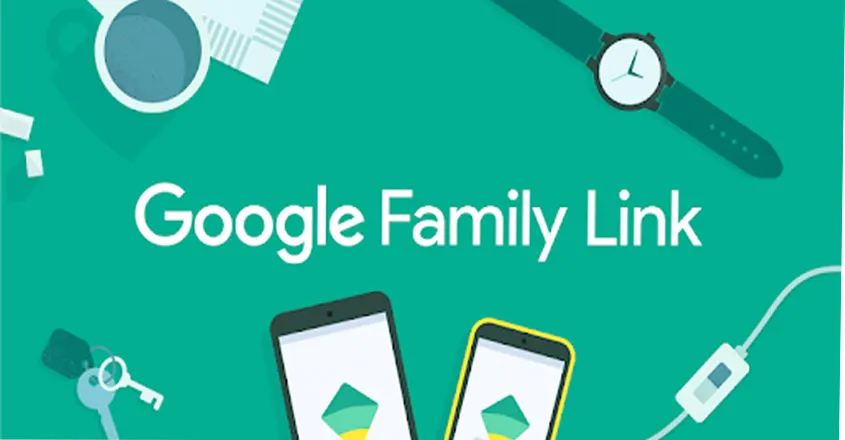
Google Family Link
- Sponsored Links -

Table of Contents

  • Google Family Link : Features
  • How to install?
  • Parents can use Family Link to do;
  • 2-Step Verification for your child’s account
  • Free yet Constrained
    • Conclusion
Google Family Link : A honest app to locate your children on one map in 2024

Google Family Link

Google Family Link is a simple yet useful program for parental management. You can set usage limits for apps and devices, monitor your child’s whereabouts, and filter websites and applications. Additionally, you can control your children’s in-app purchases, monitor their YouTube activity, and restrict the apps they can download from Google Play.

Nevertheless, Google Family Link is devoid of functionality seen in the top parental control applications. Therefore, you ought to think about utilizing a paid app like Qustodio if you’re searching for a more effective and flexible option.

- Sponsored Links -

Google Family Link : Features

  • Web and app filtering: Limit the websites and apps your children are able to download and access.
  • Time limits: Establish the maximum amount of time your children are permitted to use particular applications or gadgets.
  • Location tracking: Displays your children’s whereabouts.
  • Setting up a schedule: Decide which times of day or week your youngster is and isn’t permitted to use their gadget.
  • Activity reports: Provides you with details about how your child uses their device, such as screen time, installed apps, and apps that are used.

How to install?

  • On your device, open the Google Play Store
  • In the search bar, search for Family Link.
  • When you find the app, tap Install.
  • Once your download is complete, tap Family Link to open.
  • Tap Continue to set up Family Link using your Google Account.
  • If your child already has a Google Account, tap Yes and follow the on-screen instructions to complete setup/If your child does not yet have a Google Account, tap No and follow the on-screen instructions for creating an account.

Parents can use Family Link to do;

  • Your child’s apps, browsers & devices
  • Your child’s activity
  • Your child’s location information
  • Your child’s voice & audio information

2-Step Verification for your child’s account

  • If your child has 2-Step Verification turned on for their account and you change their password, 2-Step Verification will be turned off and an extra layer of security will be removed from their account.
  • Once 2-Step Verification is turned off, a notification email will be sent to both you and your child.
  • Your child can turn on 2-Step Verification again once they sign in to their account. Learn more about 2-step verification.

Free yet Constrained

Google Family Link targets a very particular group of people: all-Android families with children under 13 who own just one mobile device. If that’s you, then feel free to give it a try. Your children will be able to benefit from the ease of a Google account without going overboard thanks to it.This isn’t the answer for you if your family uses multiple platforms, if your children are 13 years old or older, or if each child has multiple devices.

Additionally, Google Family Link does not offer the entire spectrum of parental control capabilities. Our Editors’ Pick for Android parental control is Norton Family Parental Control (for Android). Additionally, Norton offers limited support for iOS and Windows. Kaspersky Safe Kids (for iPhone) is our Editors’ Choice for parents whose children use iOS devices exclusively or primarily; a Safe Kids membership covers Windows, macOS, Android, and iOS devices. While neither is free, both have many more features than Family Link.

Conclusion

It turns out that Google Family Link has a little more capability than I had anticipated. Google’s implementation of the functions it does provide is excellent. In the end, I believe it’s best suited for parents of older children who wish to establish some limits on device usage and app access—especially because it doesn’t support iOS child devices and has a still-limited feature set.
DOWNLOAD IN IPHONE
DOWNLOAD IN ANDROID
- Sponsored Links -
#family link #family link google parental control app #google #google family link #google family link android #google family link app #google family link for child iphone #google family link for parents #google family link iphone #google family link kaise use kare #google family link remove account #google family link tutorial #how to set up google family link #parental control by google family link for android
Share this article
Written by Techniqpoint

The TechniqPoint team writes simple, tested, step-by-step guides on technology, apps and government services. Every article is reviewed as per our editorial and fact-checking policies.

You May Also Like

Instagram account hacked recovery security illustration
Mobile Apps

Instagram Account Hacked? 9 Easy Steps to Recover It and Secure It in 2026

Oct 13, 2026 6 min read
Mobile number portability switch operator illustration
Internet

Mobile Number Portability: Easy 2026 Guide to Port Your Number to Jio, Airtel, Vi or BSNL

Oct 11, 2026 5 min read
WhatsApp account hacked recovery security illustration
Apps & Mobile

WhatsApp Account Hacked? 9 Easy Steps to Recover It and Lock It Down in 2026

Oct 11, 2026 5 min read

Leave a Reply Cancel reply

You must be logged in to post a comment.

Search Articles

Related Articles

  • Instagram account hacked recovery security illustration
    Instagram Account Hacked? 9 Easy Steps to Recover It and Secure It in 2026 Oct 13, 2026
  • Mobile number portability switch operator illustration
    Mobile Number Portability: Easy 2026 Guide to Port Your Number to Jio, Airtel, Vi or BSNL Oct 11, 2026
  • WhatsApp account hacked recovery security illustration
    WhatsApp Account Hacked? 9 Easy Steps to Recover It and Lock It Down in 2026 Oct 11, 2026
  • IRCTC Aadhaar link for Tatkal ticket booking
    IRCTC Aadhaar Link 2026: Authenticate Your Account for Tatkal Booking in 5 Easy Steps Oct 8, 2026
  • UAN activation on UMANG app with face authentication
    UAN Activation on UMANG 2026: Activate EPF Account With Face Authentication in 5 Easy Steps Oct 8, 2026

Categories

  • Mobile Apps103
  • Ai Tools36
  • Government Services25
  • Biography21
  • Technology21
  • Business & Startups21
  • Smartphones20
  • Auto17
TechniqPoint

Your trusted source for technology, apps, government services and step-by-step guides. Simple, useful and updated content for everyone.

Quick Links

  • Home
  • About Us
  • Contact Us
  • Technology
  • Apps
  • Govt Services
  • How To
  • Reviews

Categories

  • AI Tools
  • Internet & Web
  • Smartphones
  • Windows & PC
  • Finance
  • Business

Popular Articles

  • Aadhaar authentication history security check illustration Aadhaar Authentication History: Easy 2026 Guide to Check Who Used Your Aadhaar
  • FIFA World Cup 2026 FIFA World Cup 2026: Official Schedule, Expanded Teams, Groups, and Live Updates
  • Step by step guide on how to New RationCard Apply Online. New Ration Card Apply Online 2026 :Complete Step-By-Step guide
  • Taylor Swift Net Worth Taylor Swift: Biography, Career, Net Worth, Albums, Awards, Personal Life & More (2026 Guide)

Policies

  • Privacy Policy
  • Terms & Conditions
  • Disclaimer
  • Editorial Policy
  • Fact-Checking Policy
  • Corrections Policy
  • Review Policy
  • Affiliate Disclosure
© 2026 TechniqPoint. All rights reserved. Made with ♥ for a Smarter Digital India